
Part 1 of 3 in our Upgrade Your CRM series
If your team is chasing leads across three different spreadsheets, or your CRM has turned into a system nobody actually uses properly, you’ve probably outgrown what you’ve got. The fix isn’t always a bigger, flashier platform. Most of the time it’s the right system, set up properly, for the way your business actually works. Here’s how to know it’s time to upgrade your CRM, and what that upgrade should actually look like.
The spreadsheet trap
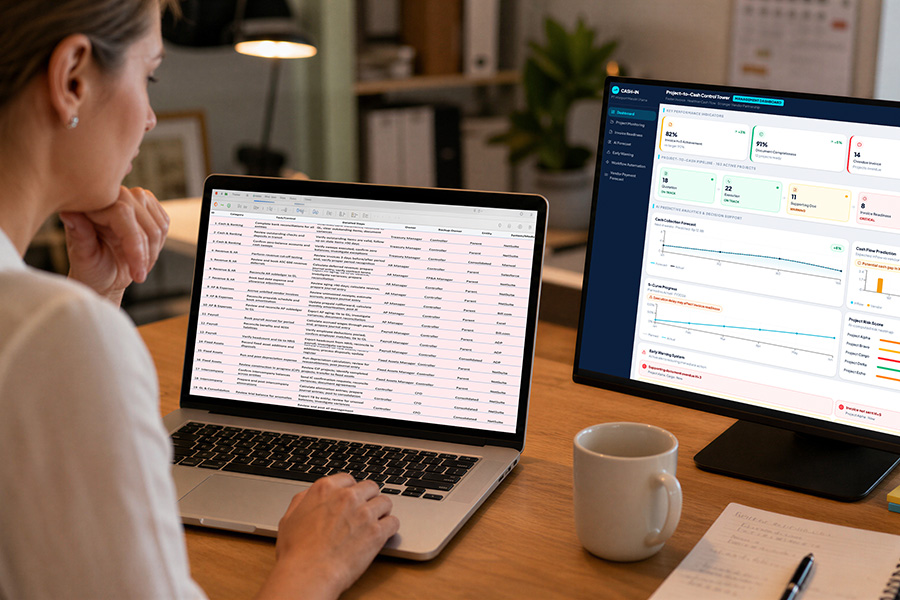
Most Australian businesses start the same way. One spreadsheet, one person keeping it up to date, and it works fine because the business is small enough to hold in your head. Then the team grows, the customer list grows, and the spreadsheet starts cracking under weight it was never built to carry.
Nobody decides one day to outgrow a spreadsheet. It happens slowly. An email introduction comes in, someone makes a call, and doesn’t write it down anywhere because in their head they’ve already done the job, they’ll just wait for the call back. Then twenty other things happen. A week and a half later, they’ve completely forgotten about it. Usually it’s a random trigger a month down the track that reminds them, and by then the lead’s already dead.
It’s not really about tools not talking to each other either, at least not at first. That tends to show up later, once a business has grown. The real problem is simpler: there’s no single place tracking who owns what, what was said, and what happens next.
Signs you need to upgrade your CRM
A few patterns show up again and again in businesses that have hit this point. None of them look dramatic on their own, which is exactly why they’re so easy to miss until they’ve quietly been costing you for months. They tend to build up gradually, one small workaround at a time, rather than arriving as a single moment where the CRM system obviously stops working. If more than one of the following sounds familiar, that’s usually reason enough to take it seriously.
You’re losing leads to no follow-up
If a lead comes in and nobody’s sure whose job it is to chase it, some of them simply fall through. Not because your team doesn’t care, but because there’s no system tracking who owns what and what happens next. A proper CRM system removes the guesswork, assigning ownership automatically so a lead can’t quietly become nobody’s job. Multiply that across a few dozen leads a month, and it’s easy to see how much revenue just evaporates without anyone noticing.
Nobody trusts the numbers
When the same customer shows up in three different files with three different phone numbers, your team stops trusting the data and starts double-checking everything manually. That’s admin time you’re paying for that isn’t moving anything forward. Once that pattern sets in, the problem isn’t really the CRM software anymore, it’s that nobody believes what’s in front of them, so everyone keeps their own private version just in case.
New starters take weeks to get up to speed
A loosely organised spreadsheet, or a CRM that’s never been properly configured, means every new hire has to be shown around by someone else before they can do their job with any confidence. A CRM set up the right way should do most of that explaining on its own.
Your team is managing data instead of managing customers
The clearest sign it’s time to upgrade your CRM is when your team spends more hours updating records, chasing duplicates, and reconciling versions than they do actually talking to customers. The system should be doing the admin, not creating it.
It’s also worth saying what a good CRM setup actually buys you, beyond just not losing leads. The small, human details matter too, what someone’s business is going through, how a past project went, even something as simple as their coffee order before a meeting. None of that is critical data, but it’s the kind of thing that makes a customer feel like they’re dealing with a business that actually knows them, and it’s exactly the kind of detail that gets lost the moment it’s scattered across sticky notes and someone’s memory instead of sitting in one place.

Size doesn’t predict this, organisation does
There’s a common assumption that bigger businesses have their systems sorted and smaller ones don’t. That’s not really how it plays out. It’s genuinely common to see large, well-established businesses still running core parts of the business on spreadsheets, sometimes years after they could clearly afford better, simply because the team already has the spreadsheet skills in-house and nobody’s forced the issue. It’s just as common to see a two-person operation with a properly configured CRM because they prioritised getting it right from day one.
What actually predicts a bad setup isn’t size, it’s whether a business has the in-house skills and the organisational discipline to keep a system current. Businesses that are strong on spreadsheets tend to stick with them longer than you’d expect. Businesses that aren’t tend to drift into a free CRM tier, often without meaning to, and never get it configured properly. That’s usually the gap we’re called in to close.
It might not be the spreadsheet, it might be the CRM
Plenty of businesses that come to us already have a CRM. The problem usually isn’t the platform, it’s how it was set up. An off-the-shelf CRM that’s never been configured for how your team actually works ends up feeling like just another spreadsheet with extra steps. Nobody uses the automation because nobody built any. The pipeline stages don’t match how deals actually move. Reports don’t answer the questions your business is actually asking.
That’s a different kind of upgrade to a CRM. Sometimes it means moving platforms. More often, it means someone sitting down with how your business genuinely operates and building the existing system around that, rather than the other way around.
Which platform actually fits depends on your business, not the other way around
There isn’t one right CRM, there’s a right CRM for how you sell and who you sell to. As a rough guide: businesses selling directly to individual consumers, tradies, hospitality, mortgage brokers, tend to be well served by a platform built around sales and marketing automation. Businesses with more complex backend needs, regulatory record-keeping, finance, professional services, events, tend to need a platform with more depth across the whole operation, not just the sales pipeline. Manufacturing businesses tracking parts and inventory at a detailed level are usually a different fit again.
None of that is a hard rule. It’s a starting filter, not a final answer, and the right call usually comes down to a proper conversation about how your business actually operates, not a checklist.
What we do differently
Sometimes the most useful thing we can tell a business is that they don’t need us. We’ve had conversations with business owners who’d already configured their own automations and workflows better than most clients ever would, and the honest answer in that situation is to say so, not to sell them an upgrade they don’t need. That’s the independence we actually mean when we say it: we’re not tied to one platform, and we’re not going to recommend an upgrade just because we can.
Data migration is a good example of where that honesty matters. We’ll generally fix-price the configuration and setup work, because it’s straightforward to scope. Data migration we bill as block hours instead, because almost every business believes their existing data is in better shape than it actually is, and block hours keeps that fair for everyone rather than guessing at a padded estimate upfront.
On security, the honest answer is straightforward too. We push clients toward proper multi-factor authentication rather than reused passwords, and the platforms we recommend, Zoho included, carry strong native security and monitoring in their own right. We follow the ACSC’s Essential Eight framework rather than making bigger claims than that.
If you’re chasing leads in spreadsheets, second-guessing your current system, or just tired of software that’s supposed to make things easier but doesn’t, let’s figure out what’s actually getting in the way.
Let’s map it out.
FAQs
How do I know if my business actually needs to upgrade its CRM?
Forget checklists for a moment, the real test is simpler and a bit more uncomfortable: does your team actually use the CRM system, or have they quietly built their own workaround alongside it? A spreadsheet that keeps “just this one client” tracked on the side, a sticky note system for jobs the CRM was supposed to handle, a shared inbox everyone checks because nobody trusts the CRM’s version of events, these are the honest signals, not a feature gap.
Most businesses don’t reach a single dramatic moment where it’s obviously time to upgrade your CRM, it builds slowly over weeks and months until the workarounds outnumber the actual system. If more of your team’s real work happens around the CRM than in it, that’s your answer, regardless of what the platform itself is technically capable of.
Do I need to replace my whole system to upgrade my CRM?
Not always, and this is worth separating out properly because the two problems look identical from the outside but need completely different fixes. A platform problem looks like genuine functional gaps, missing CRM tools like mobile access or automation, hard limits on what it can record. A configuration problem looks like capable CRM software that nobody trained the team on properly, so half its features sit unused and the team has adapted around the gaps instead of the gaps being fixed.
The simplest way to tell the difference is asking whether your team avoids specific parts of the system entirely, if so, that’s usually a setup and training problem, not a reason to start again on a different platform. We’d rather tell you honestly that a reconfiguration will fix it than sell you a full platform change you don’t need.
Is data migration included in the price?
Configuration and setup work is generally fixed price, because it’s straightforward to scope upfront. Data migration specifically is billed as block hours instead, and the reason comes down to what the work actually involves once you’re inside it: deduplicating records that exist across multiple CRM systems or spreadsheets with slightly different spellings, deciding which version of a customer relationship management record is actually correct, mapping old custom fields to wherever they belong in the new structure, and testing that nothing’s dropped out along the way. None of that is visible from the outside looking at a spreadsheet export, which is exactly why block hours works out fairer than a fixed quote guessed in advance.
The businesses that find migration quickest are usually the ones willing to have one person available for a few focused sessions to make calls on messy records, rather than leaving it entirely to guesswork.
How long does a CRM upgrade actually take?
Realistically anywhere from a few weeks to a few months, and the honest answer is that it depends on more than just the size of your business. Customer and team availability matters as much as technical complexity, a straightforward setup can stretch out simply because key people are hard to pin down for the decisions only they can make. How comfortable your team already is with similar CRM software matters too, a team used to cloud platforms generally moves faster through training than one starting from scratch.
Most small to medium Australian businesses land within about three months when everyone involved can stay reasonably responsive, longer deployments are almost always a workload or availability issue on one side or the other, not a sign something’s gone wrong with the project itself.
What’s the best CRM for a small business?
There isn’t a single best CRM for every small business, and anyone who tells you otherwise is probably selling the one they happen to resell. The right answer depends on what your business actually needs to track, how your team sells, and how much of your work happens on the move versus at a desk. A business selling directly to individual customers often needs something different to a business managing longer, more complex client relationships, and a business with heavy compliance or reporting needs is different again.
The honest process is working out what’s actually broken first, then matching a platform to that, rather than picking a big name and hoping it fits your business instead of the other way around.
What CRM tools should a small business actually use?
The CRM tools that matter most for most small businesses are the simplest ones: contact records that update automatically, a visible pipeline showing where every deal actually sits, and reminders that chase follow-up for you instead of relying on memory. Beyond that, CRM tools like email integration, basic reporting, and mobile access tend to matter more than flashier features like advanced automation or AI scoring, at least until the business has grown enough to actually need them. Buying a platform loaded with CRM tools you won’t touch for another two years is a common and avoidable way to overspend on day one.
Can different CRM systems be used by different teams in the same business?
Technically yes, but running separate CRM systems for different teams almost always recreates the exact problem a CRM is meant to solve: information scattered across places that don’t talk to each other. It’s common for a sales team to adopt one platform and an operations or support team to pick up another, usually because each team solved its own immediate pain point without checking what the other side was doing.
The better approach is choosing one CRM system that can flex enough to serve both, even if that means a slightly more involved setup upfront, rather than ending up with two CRM systems holding half a customer’s story each. If your business has genuinely outgrown a single platform’s capability, that’s a real and valid reason to run more than one, but it should be a deliberate decision, not an accident of different teams buying software independently. Before splitting across multiple CRM systems, it’s worth getting an honest read on whether the real issue is the platform itself, or just how it’s currently being used.

Still Running Your Business on a Spreadsheet? Here’s What It’s Actually Costing You

AI Voice Agents for Trade Services: 5 Things They Handle
Latest insights on AI voice agents for trade services
From missed calls to trade service appointment scheduling voice AI, we'll send the next practical guide straight to your inbox. No spam, no sales pitches.
"*" indicates required fields