

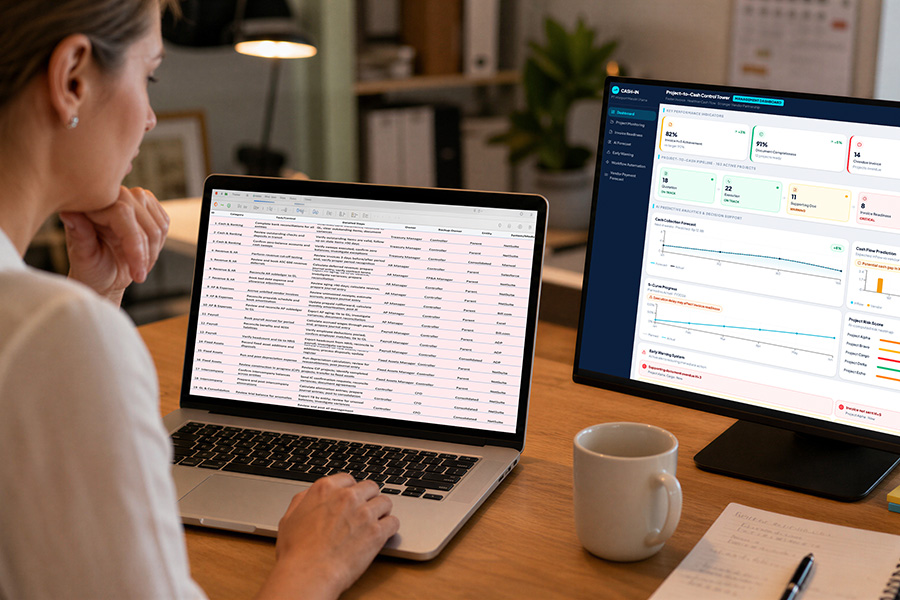
If you are running your business on a spreadsheet to track jobs, customers or leads, you’re probably losing hours to manual data entry, missing follow-ups you didn’t know you’d dropped, and taking on more risk than you realise as the team grows. A proper CRM or job management system keeps that information in one place and does the chasing for you, something a spreadsheet was never built to do. Most businesses that make the switch find it pays for itself within a few months, in time saved alone, often while also cutting out a few other subscriptions and workarounds they no longer need.
By Jason King, Founder/Director | Wild Squirrel Technology | wildsquirrel.technology
The Spreadsheet That Started It All
Every business starts somewhere. For a lot of trades and service businesses, that somewhere is a spreadsheet someone built on a slow afternoon: a tab for jobs, a tab for customers, maybe a tab for invoices if things got fancy. It worked, because the business was small enough that one person could hold the whole picture in their head, and the spreadsheet was just there to back that up rather than run the show.
The trouble is, most businesses don’t stay small. More jobs, more customers, more staff, and that same spreadsheet starts working against you instead of for you. What began as a simple tracking tool slowly turns into a patchwork of tabs, colour codes and personal shorthand that only makes sense to whoever built it. New staff have to be talked through it. A day off for the person who “owns” the spreadsheet can mean nobody else can find last week’s job notes. We see it constantly with the trades and service businesses we work with: running your business on a spreadsheet stops being a shortcut and starts being the thing that’s actually holding growth back.
How This Actually Plays Out Day to Day
It rarely looks like one big dramatic failure. It’s smaller than that, and it adds up. A technician finishes a job and texts the office instead of updating the sheet, because it’s faster in the moment. A lead comes in on a Friday afternoon and gets scribbled on a sticky note “to add later,” and later never quite arrives. Two staff members each book a different job into the same time slot because neither one checked that the calendar tab was up to date. An invoice goes out based on a job that was actually rescheduled the week before, and now someone’s on the phone explaining the mix-up to an annoyed customer.
None of these are big mistakes on their own. They’re the kind of thing a busy team shrugs off and moves past. But multiply them across a year, across every job, every lead and every invoice, and it becomes a genuine drag on how efficiently the business runs, and on how it feels to work there.
Signs You’ve Outgrown the Spreadsheet
A spreadsheet isn’t a bad tool. It’s just the wrong tool once your business hits a certain size. Here’s how to tell you’ve crossed that line.
You’re Entering the Same Details Twice
If a customer’s details get typed into a quote, then again into a job sheet, then again into an invoice, that’s not a process; that’s three chances for a typo and three lots of time you’re not getting back. Multiply that by every job your business runs in a month, and the wasted hours start to add up fast — time that could have gone into actually doing the work or following up the next lead.
Follow-Ups Fall Through the Cracks
Spreadsheets don’t remind anyone of anything. If a lead goes cold or a job needs a callback, it only gets chased if someone remembers to scroll down and notice it. Multiply that across a growing customer list, and things start slipping, usually the ones that matter most, like the quote that’s gone quiet or the maintenance job that was due last month. A CRM or job management system flags this automatically; a spreadsheet relies entirely on someone’s memory.
Nobody’s Sure Which Version Is Correct
Once more than one person is updating the same spreadsheet, you end up with version confusion: someone’s working off yesterday’s copy, a formula gets overwritten by accident, and suddenly nobody fully trusts the numbers. It’s not unusual for a business to end up with three or four versions of the “real” spreadsheet floating around in different inboxes, each one slightly out of date in a different way.
Reporting Takes Hours Instead of Minutes
Want to know how many jobs are still open, or which leads haven’t been followed up this week? In a spreadsheet, that means manually sorting and filtering, and usually double-checking the result because someone doesn’t quite trust it. In a proper system, it’s already sitting on a dashboard, updated in real time, ready to look at whenever you need it rather than whenever someone has an hour spare to pull it together.

The Hidden Cost Beyond Wasted Time
Running your business on a spreadsheet doesn’t just cost time, it costs momentum. The time lost to double handling and manual chasing is the easiest cost to see, but it’s rarely the biggest one. A spreadsheet that’s falling behind also affects how your team feels about their day. Staff end up doing admin they didn’t sign up for, chasing information that should already be sitting in front of them, and picking up the blame when something falls through the cracks that was never really their fault.
It affects your customers too. A missed follow-up or a mixed-up booking is a small thing from the inside, but it’s exactly the kind of thing a customer remembers when they’re deciding whether to use you again or recommend you to someone else. None of this shows up as a single, obvious cost on a balance sheet, but it surfaces in slower growth, more staff frustration, and jobs that quietly slip through the gaps.
Why Australian Businesses Are Slow to Make the Switch
Plenty of business owners know their spreadsheet is holding them back and still put off doing anything about it. Part of that comes down to how few Australian businesses seek outside advice on their technology in the first place. CPA Australia’s 17th annual Asia-Pacific Small Business Survey found that only 17 percent of Australian small businesses sought advice from IT consultants or specialists in 2025, well behind the 27 percent regional average. Without that outside perspective, a lot of businesses simply don’t realise how far behind their systems have fallen, or how straightforward the fix actually is.
There’s also a simpler reason: time. Business owners running the day-to-day rarely have a spare afternoon to research CRM platforms or job management software, let alone implement one. For a lot of business owners, running your business on a spreadsheet feels safer than the unknown effort of switching, simply because it’s familiar, even when the switch would save far more time than it costs.
What Actually Changes When You Move Off the Spreadsheet
Moving off a spreadsheet doesn’t mean bolting on complicated software nobody wants to use. It usually means one of two things, depending on where the pain actually is, and sometimes both.
Job Management Systems
A job management system, like ServiceM8, Simpro, Tradify or GeoNext, takes over the scheduling, dispatching and invoicing side of things, so jobs move through from quote to completion without anyone having to chase paperwork. Technicians see their jobs for the day on their phone instead of a text message or a printed sheet. Office staff can see exactly where every job is up to without ringing around to ask. Invoicing happens off the actual job record instead of someone’s memory of what was done.
CRM Platforms
A CRM, like Zoho, HighLevel or Tall Emu, takes over the customer and lead side, so every enquiry, quote and follow-up sits in one place instead of scattered across tabs, texts and sticky notes. Nothing goes cold because nobody remembered to check on it, because the system is the one doing the checking. Every conversation with a customer is visible to whoever needs it, not locked away in one person’s inbox or head.
Sometimes It’s Both
Some businesses need one, some need both, and there’s no single right answer for every business. That’s exactly why we stay independent of any one platform, the right setup depends on how you actually work, not which vendor we’re partnered with.
What Switching Actually Looks Like
Making the switch doesn’t need to mean shutting the business down for a week while everyone learns new software. The businesses that make this move successfully tend to follow a similar, fairly unglamorous path.
First, get clear on where the current process is actually breaking down, whether that’s job scheduling, customer follow-up, invoicing, or all three.
Second, shortlist the platforms that genuinely fit the way the business already works, rather than the one with the flashiest features.
Third, migrate the data and run the new system alongside the old spreadsheet for a short handover period, so nothing gets lost in the shuffle. Fourth, train the team properly, because a system nobody’s comfortable using ends up half-adopted, which brings back most of the same problems in a new form.
This Doesn’t Have to Be a Big, Scary Project
We know software changes have a reputation for going badly, dragging on for months and frustrating the whole team along the way. It doesn’t have to work like that. We’ve helped plenty of businesses make this exact shift, the same way we’ve helped businesses fix missed calls with AI voice agents, by starting with what’s actually causing the pain, not with a list of features nobody asked for.
At Wild Squirrel Technology, this is exactly what we help business owners work through: understanding where the spreadsheet is costing you the most, and mapping a path off it that fits the way your business actually runs.
Let’s map it out.
FAQs
How do I know if my business has outgrown its spreadsheet?
If you’re re-entering the same customer details in more than one place, chasing follow-ups from memory rather than a system, or nobody’s completely sure which copy of the spreadsheet is correct, those are the clearest signs it’s time to move to a proper CRM or job management system.
What’s the difference between a CRM and a job management system?
A CRM, such as Zoho, HighLevel or Tall Emu, manages your customers and leads: enquiries, quotes and follow-ups. A job management system, such as ServiceM8, Simpro, Tradify or GeoNext, manages the work itself: scheduling, dispatching and invoicing. Some businesses need one, some need both.
Is it expensive to move off a spreadsheet and into proper software?
It depends on the platform and how much setup is involved, but most businesses recover the cost through the time saved on manual data entry and fewer missed follow-ups within the first few months.
Do I need to replace everything at once?
No. The right approach is usually staged, starting with whichever part of the business is causing the most pain right now, whether that’s job scheduling or customer follow-up, rather than rebuilding every process in one go.
How long does it take to move off a spreadsheet and onto proper software?
It depends on how much data needs to move across and how many staff need training, but most straightforward switches are up and running within a few weeks rather than months, especially when the rollout is staged instead of done all at once.
Why you should upgrade your CRM

AI Voice Agents for Trade Services: 5 Things They Handle
Latest insights on AI voice agents for trade services
From missed calls to trade service appointment scheduling voice AI, we'll send the next practical guide straight to your inbox. No spam, no sales pitches.
"*" indicates required fields